
This is the second part of a series on why and how Red Canary chose MITRE’s ATT&CK framework as our common language for adversary tactics and techniques. This post describes the design and interface tradeoffs our engineering team considered, lessons learned, and key takeaways that security teams can use when applying ATT&CK to their security programs.
When Red Canary’s security operations team investigates and confirms a threat, we notify you by sending a “detection.” In some ways these are similar to alerts you might receive from other security products, but the biggest differences are a 99%+ accuracy rate and the inclusion of all the context needed to remediate a threat.
Our detections are designed to help you to instantly understand critical information like:
- What type of threat are you facing? This enables you to run the correct response playbook.
- What systems or users are affected by the threat? This enables you to assess overall risk (exec team laptops might be riskier than marketing workstations) and run the correct remediation (might not network isolate a domain controller)
- What happened on the affected systems? What’s the extent of the threat? This enables you to respond to each bit of activity accordingly.
We recently incorporated ATT&CK into our detections to help you understand another crucial piece of the puzzle: the adversary’s tactics and how the threat was detected. Armed with this context, you know exactly what tactics are being used against you.
In the next post, our security operations team will walk through the process of mapping our detection techniques to ATT&CK. Subscribe now >>
Designing the UI
Every Red Canary detector is mapped to one or more attack techniques. By collecting all the techniques from detectors that resulted in a detection, we know what techniques were in play.
If you aren’t already familiar, MITRE’s ATT&CK Matrix is a grid containing columns of attacker “tactics” and rows of their associated “techniques.” Techniques can be associated with multiple tactics and some techniques are OS-specific, so you’re technically looking at three distinct matrices: one per Windows, OS X, and Linux.
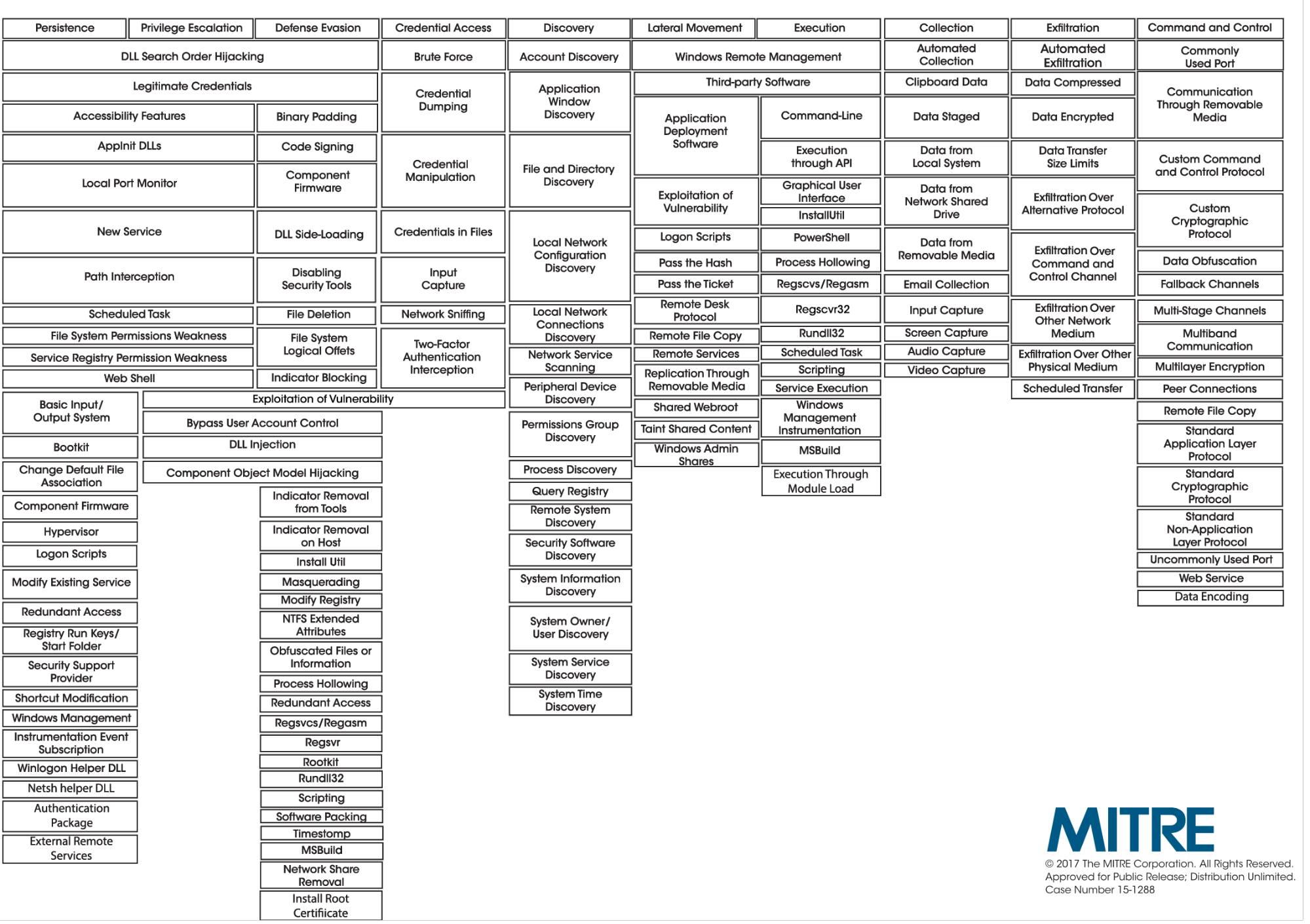 We wanted our representation of a detection’s tactics and techniques to feel familiar to responders familiar with the matrix. Because of that, our first cut at incorporating ATT&CK into our detections looked like this:
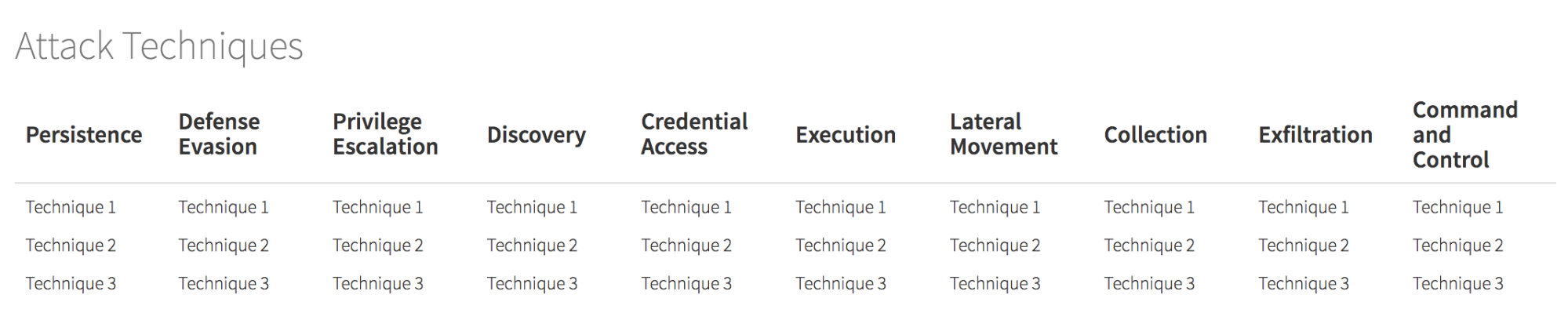
Though easily recognizable once styled, that’s way too wide to be useful unless everyone is running 30” monitors. So we tried breaking it into two lines:
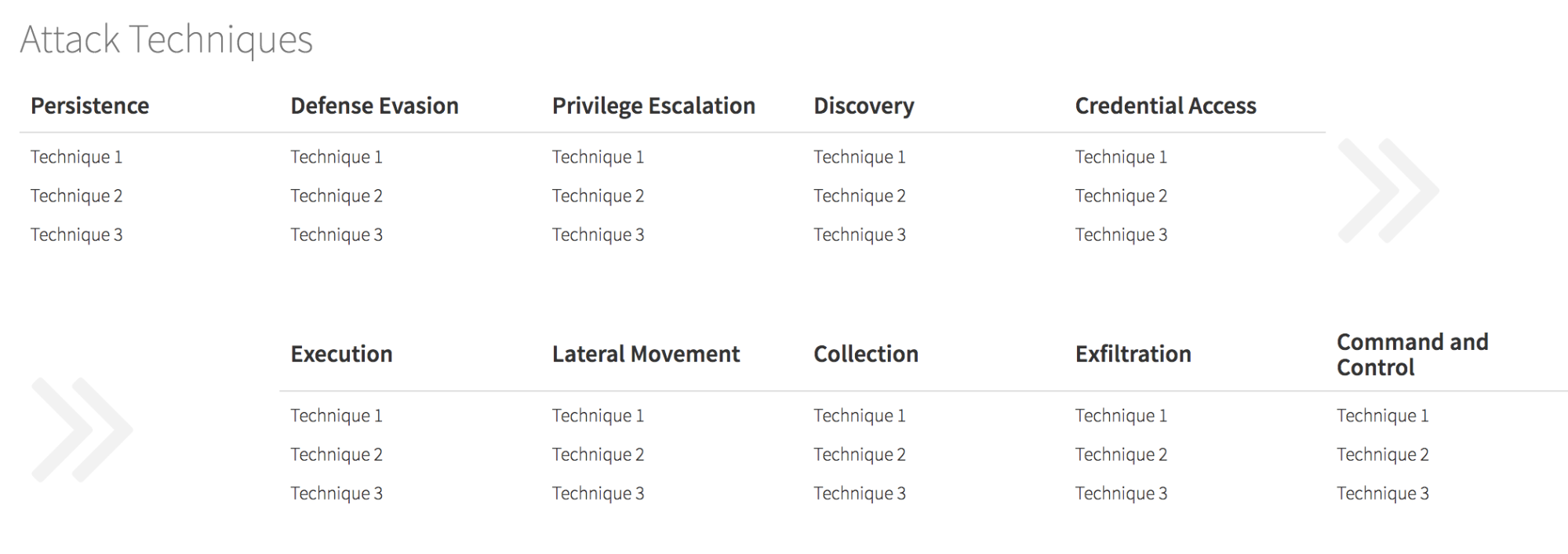 That was better, and even looked a bit cool to some people, but we realized during quick testing around the office that ATT&CK has an interesting psychological effect on people. In our highly unscientific survey, we found that most people think the order of tactics matches an adversary’s order of operations. We felt that influenced people in the wrong way, and it still wasted a ton of space on tactics that weren’t in play.
We wanted our detections to be easily consumable when received on a laptop or phone, so we decided to eliminate the tactics that weren’t involved. That meant there needed to be a small number of “things” on the screen. With hundreds of techniques and eight tactics, that made us think, “Why don’t we just summarize at the tactic level?” That led to the design that looks most like what we launched.
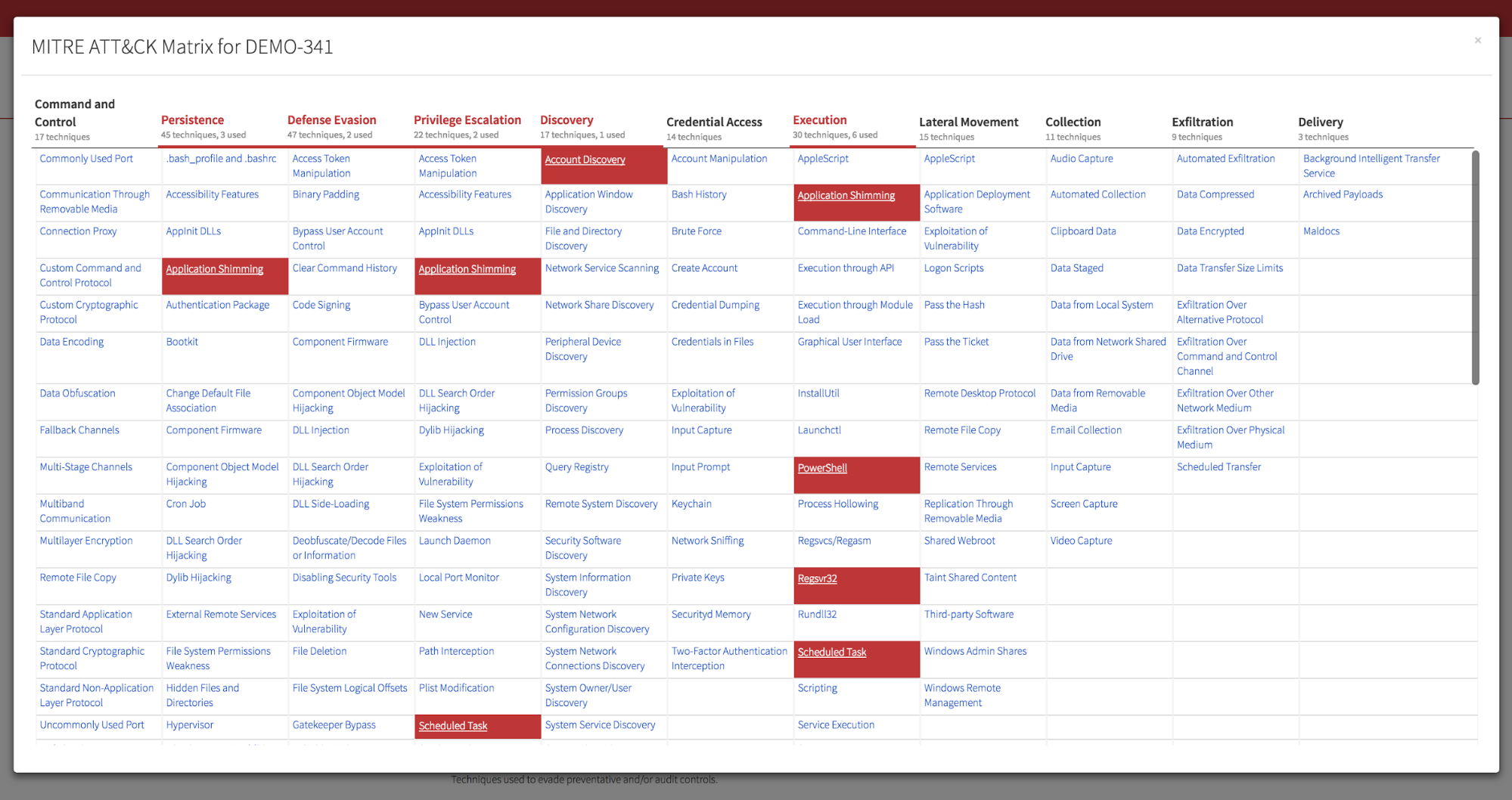
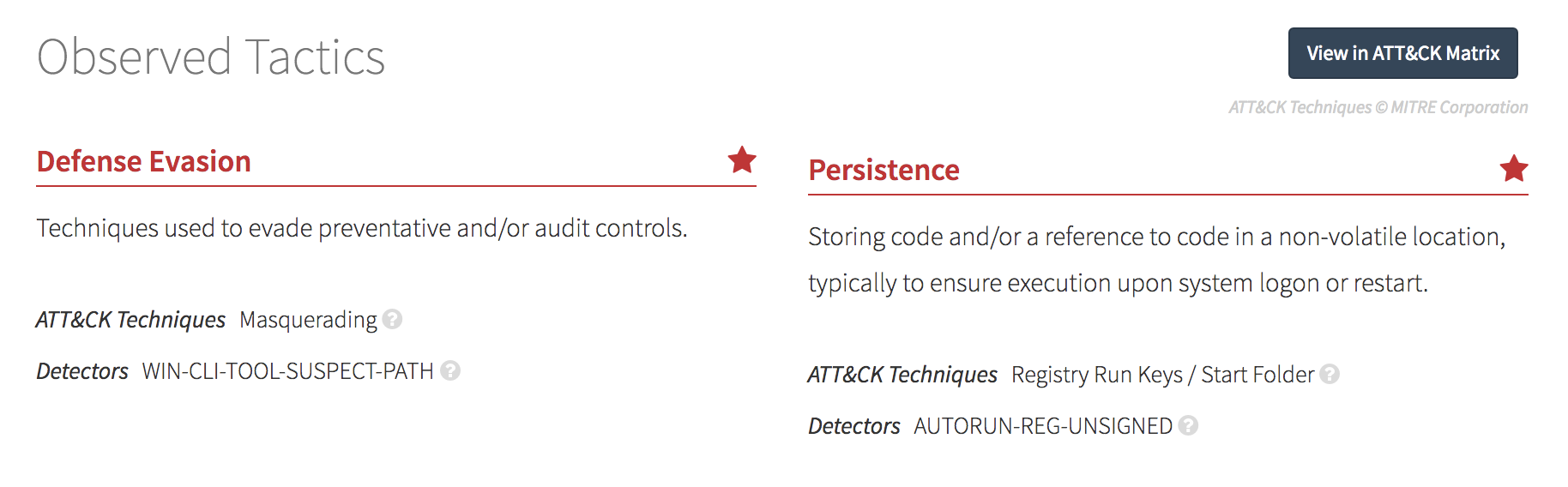 This design gave us highly accessible information at a glance. The team came up with a great way to bring back the recognizable matrix as well. When you click View in ATT&CK Matrix, the matrix appears with the detection’s techniques highlighted. Here’s an example using an especially gory detection:
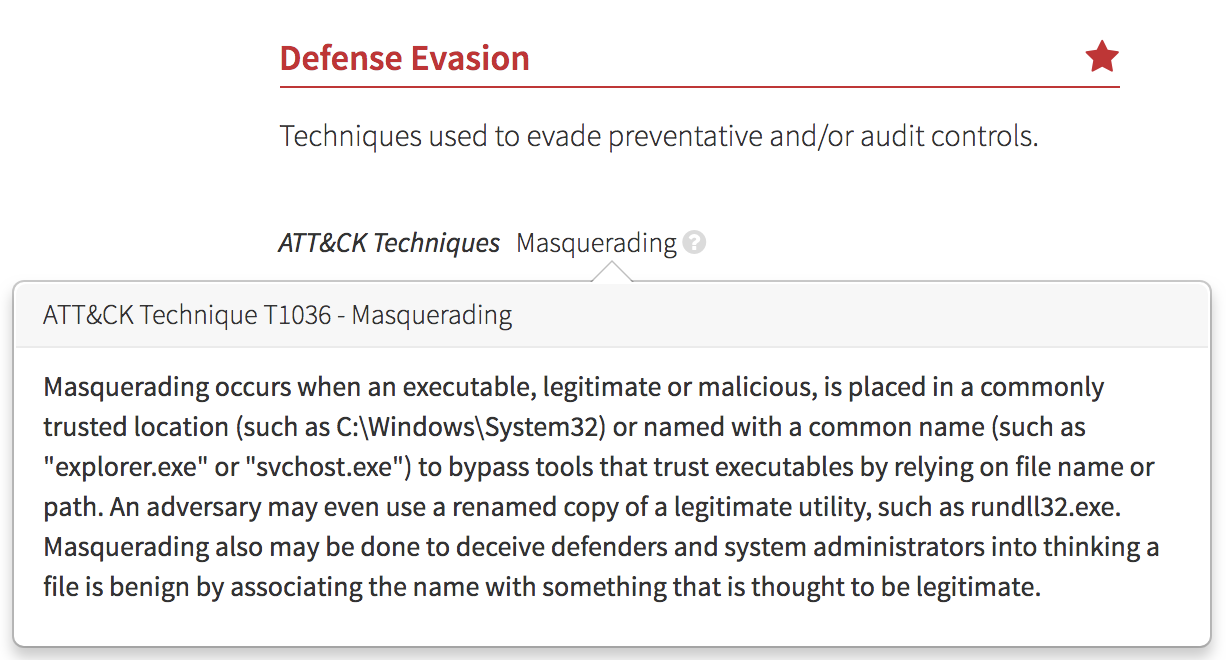
 The MITRE team and contributors have done a great job describing the techniques, so rather than reinventing the wheel, we pulled those descriptions over from their API.
 Finally, we decided to expose the names of the Red Canary detectors that identified the tipoffs leading to each detection. We liked that ATT&CK’s tactics and techniques provided a good framework to categorize our detectors. This is because there are:
- Eight ATT&CK tactics (plus one Red Canary added tactic)
- Approximately 350 ATT&CK techniques (plus seven Red Canary added techniques)
- Approximately 800 Red Canary detectors mapped to those techniques
The ratios work well.
During this exercise, our security operations and applied research teams uncovered new techniques that were not yet reflected in the matrix. (More to come on this in our next blog post.) We’re now working with the ATT&CK team at MITRE to weave the new techniques we identified into ATT&CK.
Take a look at the finished product:
If you’re using Red Canary today, ATT&CK tactics and techniques are live in your Red Canary portal.
Key Takeaways
If you’re wondering how to use ATT&CK in your security program today, here’s what we learned as we incorporated it into Red Canary:
- Diligently map your detectors to ATT&CK techniques. This is essential for measuring gaps in your security. Protip: Separating detectors by operating system will save you a lot of pain later.
- Summarize your threat alerts by the tactics involved in the detection. Techniques are useful for drilling down, but tactics are a great level for developing summaries.
- Take advantage of all the work the ATT&CK team has done to research, define, and document these techniques. Thanks to their work and coordination with the community, we all have a great language to work from.
To receive the next article in this series, subscribe using the form below.
Related Articles
The million-dollar front door and the tailgater: Why strong auth could fail at SaaS session integrity